Idea Guide
Smart Progress Bar & Personalized Offers
Motivate shoppers to spend more with visual, tiered incentives that adapt in real time—unlocking free shipping, discounts, and free gifts as their cart grows.
Request a demoBuilt-in Progress Bar Campaigns
Pre-configured templates to get you started quickly. Select a template, configure your thresholds and rewards, then publish—no code required.
Offer discount or free shipping
Offer Free Shipping to All Visitors when Cart Value exceeds $50
Offer free gifts
Offer a Gift to All Visitors when Cart Value exceeds $50
Offer free shipping and discounts in two tiers
Free Shipping when Cart Value exceeds $50, and 10% Discount when it exceeds $100 for All Visitors
Offer free shipping and gifts in two tiers
Free Shipping when Cart Value exceeds $50, and a Gift when it exceeds $100 for All Visitors
Offer discounts and gifts in two tiers
10% Discount when Cart Value exceeds $50, and a Gift when it exceeds $100 for All Visitors
Offer free shipping, discounts and gifts in three tiers
Free Shipping at $50, 10% Discount at $100, and a Gift at $150 for All Visitors
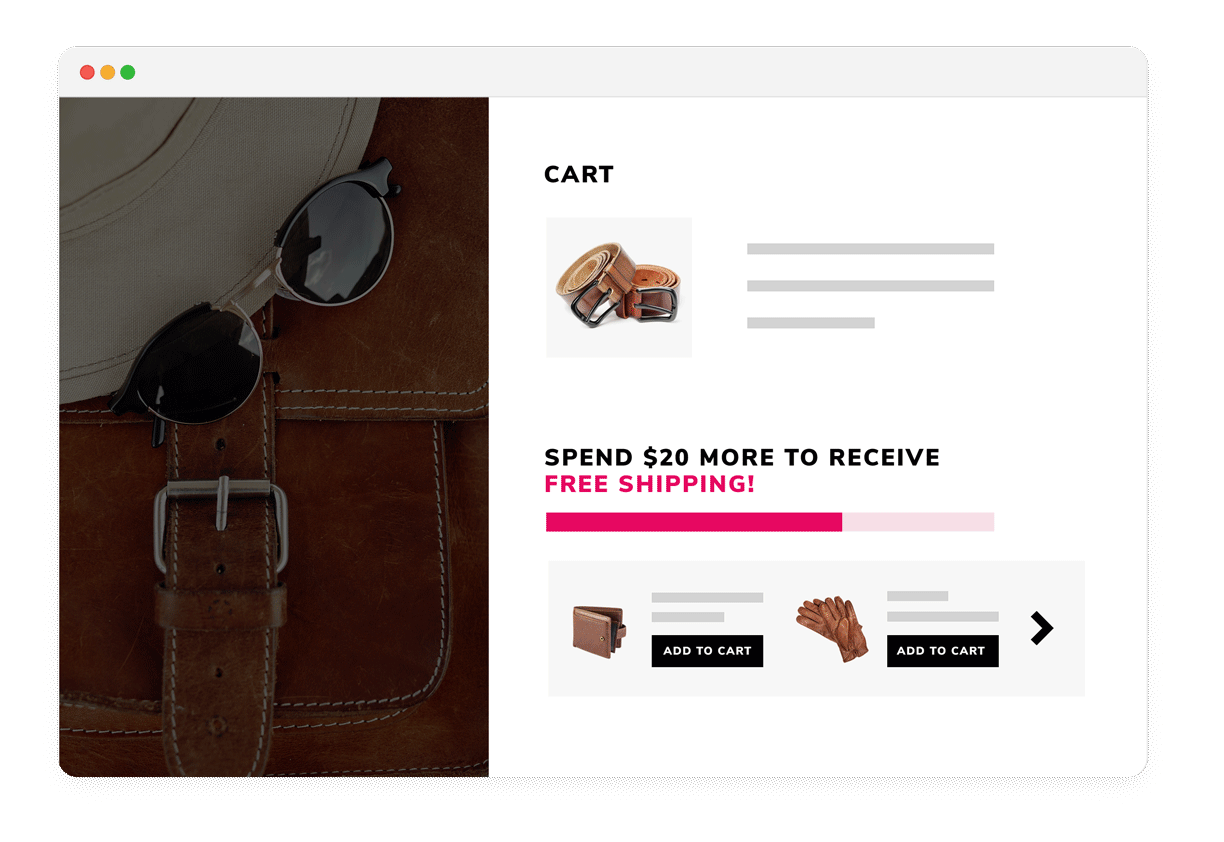
A home goods store sets a $50 free shipping threshold. A customer with $38 in their cart sees: "Add $12 more for FREE shipping!" They add a $15 kitchen towel set and unlock the reward—increasing AOV by 39%.
Free Shipping Progress Bar
The simplest and most effective progress bar strategy. Encourage customers to increase their cart value to unlock complimentary shipping—the #1 incentive for online shoppers.
How it works
A visual bar appears on your store showing how close the customer's cart is to the free shipping threshold. As items are added or removed, the bar fills up in real time. Once the threshold is reached, a congratulatory message confirms the reward. This leverages the proven psychological power of free shipping—studies consistently show it's the #1 driver of online purchase decisions.
How to do it
Navigate to Personalization > Smart Progress Bar and select the "Offer discount or free shipping" built-in template. Click Create, then configure the cart value threshold (e.g., $50). Customize the offer message—use the {remaining_amount} placeholder to show the dynamic remaining amount. Save and publish, then use the Designer to place the bar on your cart page, slide cart, or any other page. View the getting started guide.
Best practices
Set the threshold 10-20% above your current average order value for optimal impact. Make the remaining amount feel achievable—"Add $8 more!" is far more motivating than "Add $80 more!" Consider placing the bar on both the cart page and the slide-out mini-cart for maximum visibility. Test mobile and desktop presentations before publishing.
A beauty brand shows a progress bar: "Spend $50 and get a FREE deluxe sample set!" A customer with $42 in their cart adds a lip balm to reach the threshold and unlock their gift—a sample set that introduces them to three new product lines.
Free Gift Rewards
Offer free gifts when the cart exceeds a spending milestone. The tangible reward of a physical gift creates stronger motivation than percentage discounts alone.
How it works
When the customer's cart value reaches the threshold you set, they unlock a free gift that's automatically added to their order. You choose which products can be given as gifts and set the maximum gift quantity per order. The progress bar shows their real-time progress toward unlocking the reward, creating excitement and anticipation.
How to do it
Select the "Offer free gifts" built-in template from Smart Progress Bar. Set your cart value threshold (e.g., $50). Choose the gift offering type—select specific products from your catalog that will be offered as the free gift. Set the maximum gift quantity (at least one item must be chosen before saving). Customize the offer message and enable an optional congratulatory message when the reward is unlocked. Learn how to create from scratch.
Best practices
Choose gifts that introduce customers to new product categories—this drives future purchases, not just the current one. Deploy gift-based campaigns during seasonal promotions (holidays, product launches) for maximum impact. Make sure the gift has a perceived value that justifies the extra spend. Use sample sizes or travel sizes to keep costs manageable while still delighting customers.
An outdoor gear store sets two tiers: free shipping at $50 and 10% off the entire order at $100. A customer buying a $45 backpack adds a $10 water bottle for free shipping, then sees "Add $45 more for 10% off!" and adds hiking socks and a hat—boosting AOV from $45 to $112.
Free Shipping + Discount in Two Tiers
Stack two incentives: free shipping at a lower threshold and a percentage discount at a higher one. This keeps customers motivated after unlocking the first reward.
How it works
The progress bar displays two milestone markers. Once the customer reaches the first threshold, free shipping unlocks and the bar continues filling toward the second tier. This creates a natural "while you're at it" psychology—customers who just hit $50 for free shipping see they're already halfway to a 10% discount at $100, making the second reward feel achievable.
How to do it
Select the "Offer free shipping and discounts in two tiers" built-in template. Configure Tier 1 with a free shipping reward at your chosen threshold (e.g., $50). Configure Tier 2 with a percentage discount (e.g., 10%) at a higher threshold (e.g., $100). Customize the offer messages for each tier using the {remaining_amount} and {offer_descriptor} placeholders. Save, publish, and deploy via the Designer.
Best practices
Space your tiers so the second feels reachable after hitting the first—a $50 to $100 jump works well because customers feel they're "halfway there." Make sure the percentage discount at the higher tier represents real savings that justify the additional spend. Show the cumulative value: "You're saving $12 in shipping + $10 with your discount!"
A skincare brand sets free shipping at $50 and a free deluxe moisturizer sample at $100. After unlocking free shipping, the customer sees "You're $15 away from a FREE deluxe sample!" and adds a serum—getting to try a product they've been curious about.
Free Shipping + Gift in Two Tiers
Pair free shipping at a lower threshold with a tangible gift reward at a higher one. The physical gift creates excitement that monetary discounts can't match.
How it works
The first tier removes the friction of shipping costs, and the second tier adds a tangible reward. This combination is powerful because free shipping addresses a rational concern (cost) while the free gift triggers an emotional response (surprise and delight). Customers who've already committed to spending $50 find it easy to justify reaching $100 when a real product is waiting for them.
How to do it
Select the "Offer free shipping and gifts in two tiers" template. Configure Tier 1 with free shipping at your threshold. For Tier 2, select the free gift offering type, choose the specific gift products from your catalog, and set the maximum gift quantity. Customize your messaging for each tier and enable a congratulatory final message when all rewards are unlocked.
Best practices
Choose a gift that has high perceived value but manageable cost—sample sizes, exclusive colorways, or accessories work well. Make the gift visible in the progress bar so customers know exactly what they're working toward. This template works especially well during holiday seasons and product launches when you have sample inventory to move.
A supplements store offers 10% off at $50 and a free shaker bottle at $100. A fitness enthusiast buying protein powder ($40) adds BCAAs ($18) to unlock 10% off, saving $5.80. They see they're close to a free shaker and add creatine—leaving with four items and a gift.
Discount + Gift in Two Tiers
Offer a percentage discount at the first threshold and a free gift at the second. This template combines immediate savings with a tangible reward to sustain momentum.
How it works
Customers first unlock a percentage or fixed-amount discount at Tier 1, which applies immediately to their cart. The progress bar then continues toward Tier 2, where a free gift awaits. This dual incentive structure appeals to both the rational ("I'm saving money") and emotional ("I'm getting something free") sides of the buying decision.
How to do it
Select "Offer discounts and gifts in two tiers" from the built-in templates. Set Tier 1 with a percentage discount (e.g., 10%) at your first threshold ($50). Set Tier 2 with a free gift at a higher threshold ($100), selecting the gift products and quantity. Customize messaging for both tiers. Deploy via the Designer on cart and product pages.
Best practices
Make sure the Tier 1 discount is meaningful enough to feel like a real reward, not just a teaser. Choose a Tier 2 gift that complements the products your customers typically buy at that price point. This template works especially well for stores with consumable products where customers are already inclined to buy multiple items.
A wellness store creates the ultimate gamified checkout: free shipping at $50, a free sample kit at $100, and 10% off the entire order at $150. Customers race through tiers, adding complementary products at each stage—turning a $40 impulse buy into a $155 haul.
Three-Tier Full Stack
The ultimate gamified shopping experience: free shipping, then a free gift, then a percentage discount—all in one progress bar with three reward milestones.
How it works
Three tiers create a powerful progression that keeps customers adding to their cart. Each unlocked reward builds satisfaction and momentum toward the next one. The combination of different reward types—cost savings (shipping), tangible reward (gift), and percentage discount—appeals to different psychological triggers simultaneously, maximizing the chance of reaching the highest tier.
How to do it
Select "Offer free shipping, discounts and gifts in three tiers" from the built-in templates. Configure each tier: Tier 1 with free shipping (e.g., $50), Tier 2 with a percentage discount (e.g., 10% at $100), and Tier 3 with a free gift (e.g., at $150). Customize the offer message for each tier. Enable a congratulatory message for when all three tiers are unlocked. Deploy via the Designer on your most visited pages. Learn how to add via Designer.
Best practices
Space tiers evenly—$50/$100/$150 creates comfortable jumps. Put your most universally appealing reward (free shipping) first to hook customers, then use the gift and discount to pull them higher. Monitor your analytics to see what percentage of customers reach each tier and adjust thresholds if the top tier is rarely reached. Test campaigns on both desktop and mobile before going live.
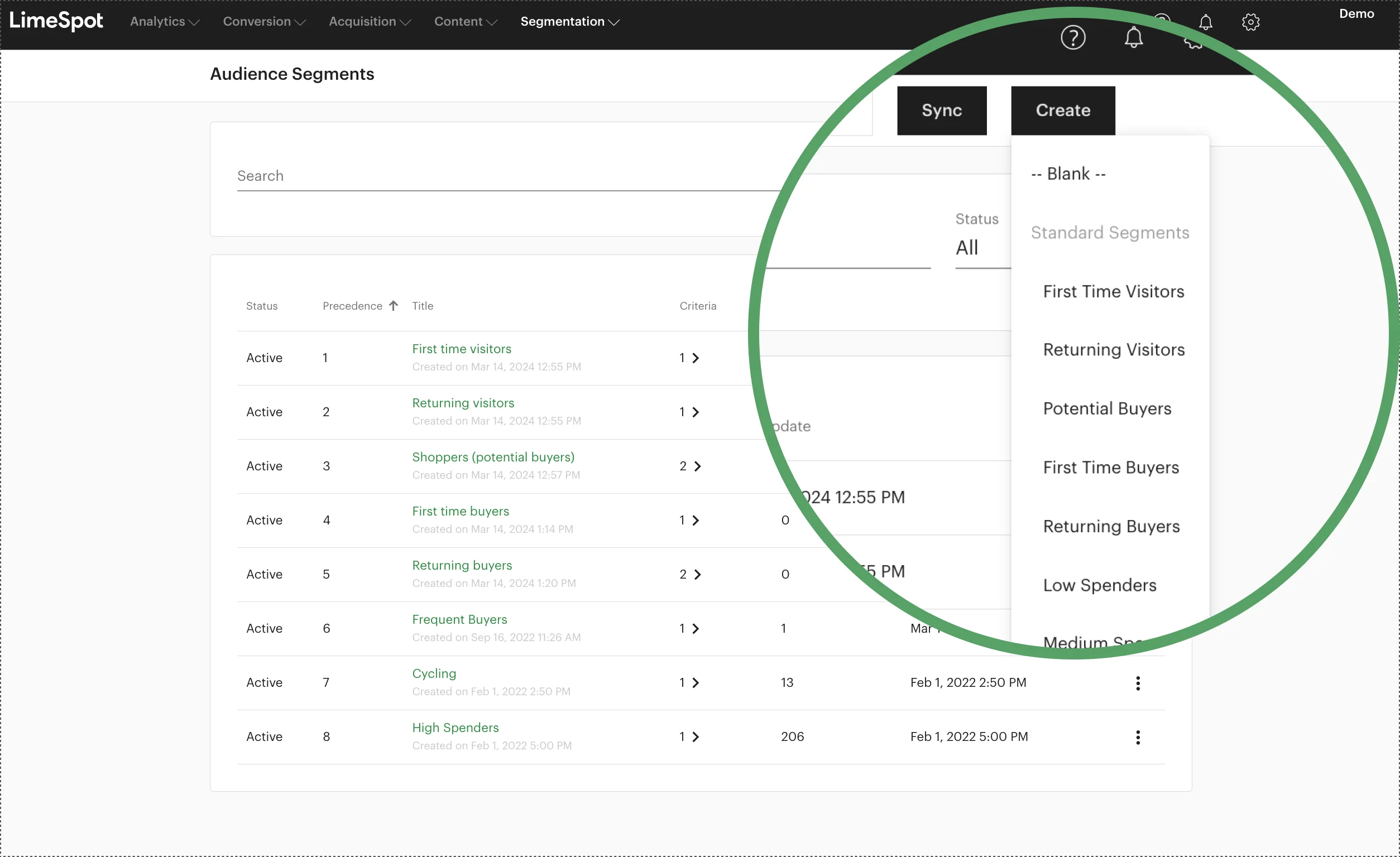
A fashion retailer shows new visitors a simple free shipping bar at $50, while returning buyers see a more generous three-tier bar with free shipping at $40, 15% off at $80, and a free accessory at $120—rewarding loyalty with better thresholds.
Segment-Targeted Progress Bars
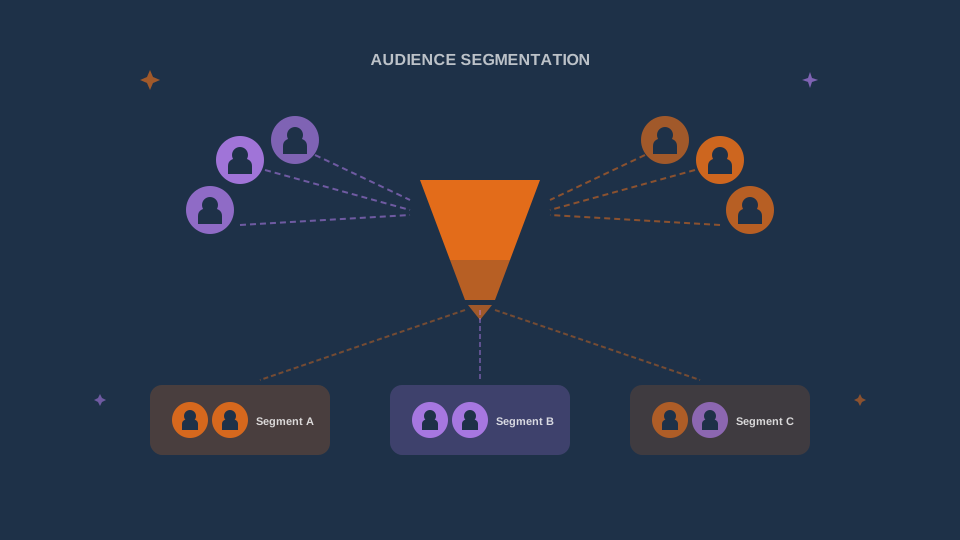
Show different progress bar campaigns to different customer segments. Personalize thresholds, rewards, and messaging based on who's shopping.
How it works
When creating a Smart Progress Bar campaign, you can target it to specific audience segments or exclude certain ones. This means you can run multiple campaigns simultaneously—each tuned for a different customer group. New visitors might see a simple free shipping bar, returning visitors get a two-tier bar, and VIP buyers see exclusive three-tier rewards with lower thresholds. LimeSpot's segmentation handles which bar each customer sees automatically.
How to do it
First, set up your audience segments in Personalization > Audience (e.g., New Visitors, Returning Visitors, Returning Buyers, VIP Customers). Then create separate Smart Progress Bar campaigns for each segment—when creating or editing a campaign, use the audience targeting options to select which segments should see it or which to exclude. Each campaign can have different thresholds, rewards, and messaging. Deploy all campaigns via the Designer. Learn about segment-based discount strategies.
Best practices
Start with two segments (new vs. returning) and expand as you learn what works. Offer more generous rewards to higher-value segments—this rewards loyalty and increases lifetime value. Don't create so many segment-specific bars that you lose track of your strategy. Monitor segment-level performance in Analytics > Audience to understand which bars drive the most uplift.
A furniture store places a sticky progress bar at the top of every page showing free shipping progress. On the cart page, they add an inline progress bar above the checkout button showing the gift tier. The same bar appears in the slide-out mini-cart—ensuring customers always know how close they are to their next reward.
Placement & Design Customization
Control exactly where and how the Smart Progress Bar appears on your store—with full visual customization through the Designer, no code required.
How it works
After creating your campaign, you deploy it through the Designer tool, which provides a live preview of your store. You can place the progress bar on any page—homepage, product pages, collections, cart, or slide-out cart. The Designer offers three layout modes: inline (flows with page content), fixed (stays in position), and sticky (follows the user as they scroll). You can customize every visual detail including typography, colors, progress line gradients, tier indicators, icon sizes, and borders.
How to do it
Open the Designer via Personalization > Product Recommendations > Designer. Use the page selector dropdown to choose which page to configure. Click "Smart Progress Bar" in the left sidebar to enable it. Customize the appearance: adjust offer message font, size, and weight; set colors for the progress line, tier indicators, and borders; control icon sizes with the slider. Configure placement controls—choose the insertion method (before/after), reference element, and layout behavior. Use the "Hide When Cart Is Empty" toggle to show the bar only when shoppers have items. Preview on desktop, tablet, and mobile, then click Publish. Full placement guide.
Best practices
Place progress bars above cart totals or checkout CTAs for maximum conversion impact. Match the bar's colors to your store's theme for a seamless branded experience. Use the "Hide Tier Label" option for a minimal look if your design is clean. Deploy the same bar on multiple pages or assign different bars per page depending on context. Always test on mobile—the bar should be visible without taking up too much screen real estate.
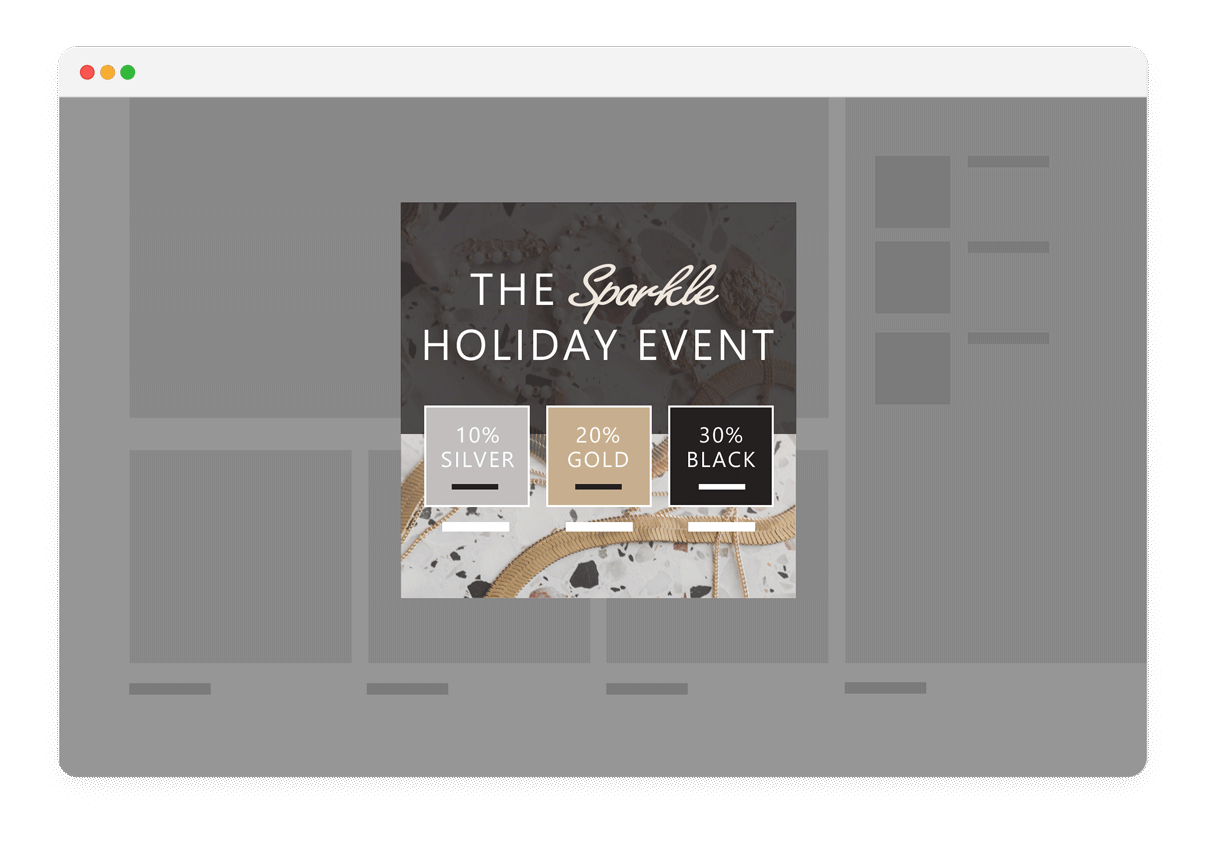
A premium coffee roaster creates VIP-only progress bars for Gold members: free shipping at $30 (vs. $50 for others), a free bag of single-origin beans at $75, and 20% off at $100. The exclusive thresholds and premium gifts make Gold members feel valued—and spend 40% more per order.
VIP-Exclusive Progress Bars
Create premium progress bar experiences exclusively for your best customers—with lower thresholds, better rewards, and VIP-only messaging that reinforces their special status.
How it works
By combining Smart Progress Bars with audience segmentation, you can create exclusive bars visible only to your highest-value customers. These VIP bars offer lower thresholds (making rewards easier to reach), premium gifts (exclusive products not available to other segments), and messaging that acknowledges their VIP status. This creates a tangible, ongoing benefit to being a loyal customer.
How to do it
Create a "VIP Buyers" or "Gold Tier" audience segment based on purchase frequency, total spend, or loyalty program integration. Create a dedicated Smart Progress Bar campaign targeted exclusively to this segment. Set lower thresholds and more generous rewards than your standard bar. Choose premium gift products that aren't available to other segments. Add VIP-specific messaging like "Your exclusive Gold member rewards." Deploy alongside your standard bars—LimeSpot's targeting ensures each customer sees only the bar meant for them.
Best practices
Make VIP rewards genuinely better—if the difference is trivial, there's no motivation to become or stay a VIP. Use exclusive or limited-edition products as VIP gifts to create real differentiation. Track VIP segment AOV separately to measure the impact of your exclusive bars. Consider combining VIP progress bars with personalized bundle discounts for a comprehensive VIP experience.
Getting Started
Choose a Template
Navigate to Personalization > Smart Progress Bar and select one of the 6 built-in campaign templates—or create a custom one from scratch.
Configure Rewards
Set your cart value thresholds and choose reward types: free shipping, percentage discount, fixed discount, or free gift for each tier.
Target Audience
Optionally target the campaign to specific audience segments or exclude certain ones for personalized experiences.
Customize Messages
Write your offer messages using dynamic placeholders. Enable a congratulatory message when the top tier is reached.
Deploy via Designer
Use the Designer to place the bar on your chosen pages. Customize colors, typography, icons, and placement controls.
Test & Publish
Preview across desktop, tablet, and mobile. Click Save then Publish to go live. Monitor performance in Analytics.
LimeSpot offers complimentary 1:1 setup sessions. Contact our support team for personalized help with strategy, customization, and performance optimization.
Explore more of the guide
Ready to Boost Your Average Order Value?
Transform your checkout experience with Smart Progress Bars and personalized offers today.
Motivate shoppers to spend more with visual, gamified incentives that adapt to every customer segment.