Idea Guide
Personalized Discounts
AI-powered discount campaigns that automatically adapt to customer segments, purchase history, and behavior—delivering the right offer to the right customer at the right time.
Request a demoBuilt-in Discount Campaign Templates
Your plan includes up to an Unlimited number of active Discount Campaigns.
Choose from the best practices below to start tracking your website visitors. Select a template, configure the discount and threshold, then Save and Publish.
Entice Returning Visitors
Offer Free Shipping on product bundles to your Returning Visitors when bundle value exceeds $50
Help Potential Buyers
Offer 5% off on product bundles to your Potential Buyers when bundle value exceeds $50
Attract First-time Buyers
Offer 10% off on product bundles to your First Time Buyers when bundle value exceeds $50
Engage Returning Buyers
Offer 20% off on product bundles to your Returning Buyers when bundle value exceeds $50
Reward Frequent Buyers
Offer 30% off on product bundles to your Frequent Buyers when bundle value exceeds $50
Complement Low Spenders
Offer 10% off on product bundles to your Low Spenders when bundle value exceeds $50
Incentivize Medium Spenders
Offer 15% off on product bundles to your Medium Spenders when bundle value exceeds $50
Boost High Spenders
Offer 20% off on product bundles to your High Spenders when bundle value exceeds $50
A beauty store notices a customer browsing skincare products for the third time without purchasing. On their return visit, they see free shipping on a "Frequently Bought Together" bundle, removing the last barrier to their first purchase.
Entice Returning Visitors
Recognize visitors who keep coming back but haven't converted yet, and offer free shipping on product bundles to nudge them toward their first purchase.
How it works
LimeSpot automatically identifies returning visitors based on their browsing history. When a visitor returns to your store without making a purchase, they see free shipping applied to product bundles on your product pages. This removes the most common barrier to first purchases—shipping cost—while encouraging a higher-value bundle purchase instead of a single item.
How to do it
Select the "Entice Returning Visitors" built-in template from Personalization > Discounts and Promotions. The template pre-configures the "Returning Visitors" audience segment and sets the discount type to Free Shipping when bundle value exceeds $50. Customize the threshold if needed. In the Designer, enable the Frequently Bought Together box with Bundle style and activate "Product Bundle Discounts." Save and publish. View the setup guide.
Best practices
Free shipping is the ideal first incentive—it removes friction without training customers to expect percentage discounts. Set the bundle minimum at a level that ensures profitable orders. Monitor conversion rates in Analytics > Campaigns > Discounts & Promotions to see how effectively you're converting browsers into buyers.
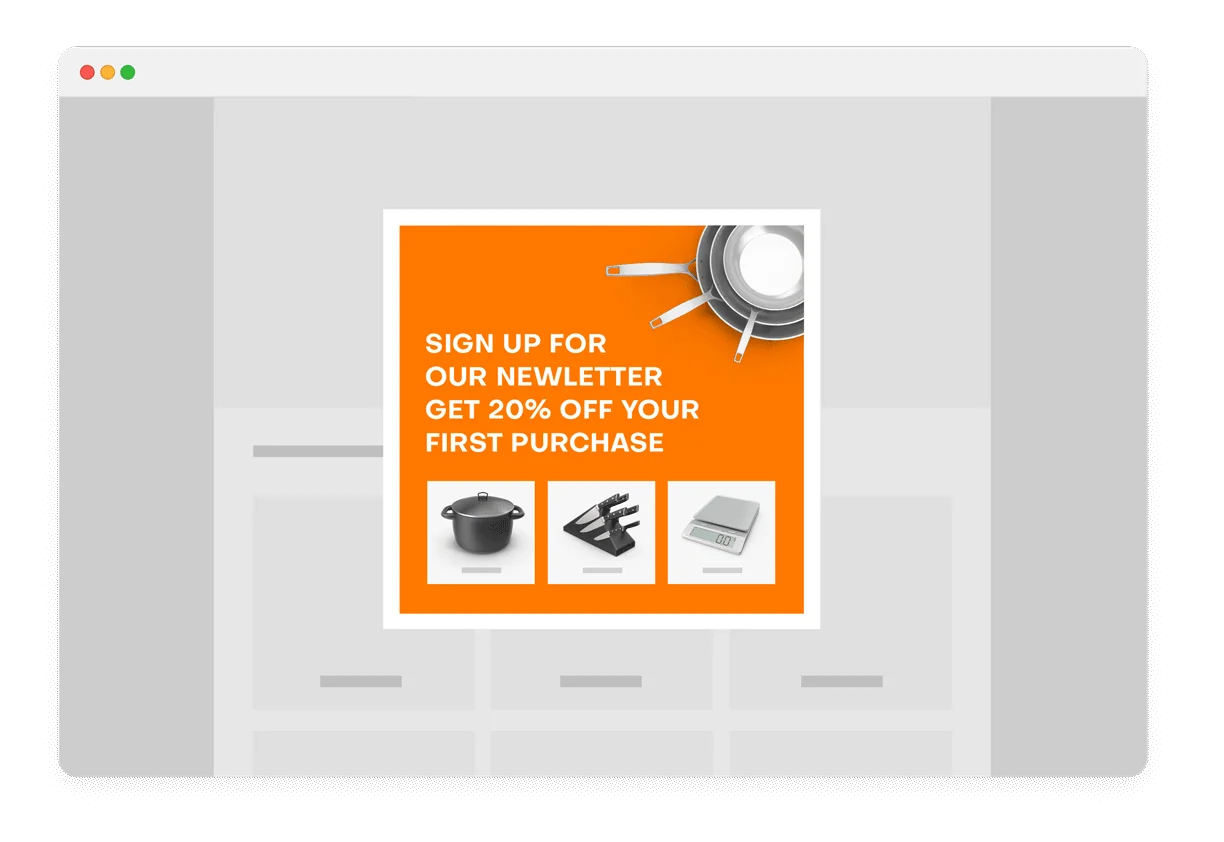
A fashion retailer greets first-time visitors with a 10% discount on Frequently Bought Together bundles. A new shopper adding a dress to their cart sees matching accessories bundled at 10% off—lowering the barrier to a multi-item first purchase.
Attract First-time Buyers
Convert new visitors into customers with a 10% bundle discount that makes their first purchase feel like a great deal.
How it works
New customers have no relationship with your brand yet, so a welcome discount on bundles helps overcome the trust barrier while encouraging a larger first order. LimeSpot identifies first-time visitors and applies a percentage discount to product bundles. The discount only appears on bundled items, encouraging multi-item purchases rather than single-product orders.
How to do it
Select the "Attract First-time Buyers" built-in template. It pre-configures 10% off on product bundles for the "First Time Buyers" audience segment when bundle value exceeds $50. Adjust the discount percentage and minimum threshold to match your margins. Enable the bundle display in the Designer and publish.
Best practices
Track new customer lifetime value to ensure your welcome offers attract quality customers who return at full price. Don't be too aggressive—10% is enough to incentivize without devaluing your brand. Consider pairing this with the "Help Potential Buyers" template (5% off) for a two-stage approach: 5% for potential buyers, 10% when they're clearly first-time shoppers.
A coffee subscription company offers 20% off bundle purchases to customers who've bought before. A returning customer sees this exclusive discount on the Frequently Bought Together widget, encouraging them to stock up on their favorite beans plus new flavors to try.
Engage Returning Buyers
Reward customers who've already purchased with 20% off bundles—acknowledging their loyalty and encouraging repeat purchases with larger orders.
How it works
Returning buyers have already shown trust in your brand. LimeSpot identifies these customers and presents them with a deeper discount on product bundles than new or potential buyers receive. The 20% discount creates a VIP feeling—these customers know they're getting a better deal because of their loyalty, which reinforces repeat behavior.
How to do it
Select the "Engage Returning Buyers" built-in template. It targets the "Returning Buyers" segment with 20% off product bundles when bundle value exceeds $50. This runs alongside your other campaigns—returning buyers see 20% off while first-time buyers see 10%, creating a natural loyalty ladder. Enable Product Bundle Discounts in the Designer and publish.
Best practices
Make sure returning buyers see messaging that acknowledges their status—"Welcome back! Your exclusive 20% bundle discount" feels different than a generic sale. Compare the AOV of returning buyers with and without the discount to ensure the bundle incentive is driving meaningful increases. Track results in Analytics > Audience.
A supplements store identifies customers who order monthly. These power shoppers see 30% off bundles—their deepest discount—encouraging them to stock up on protein powder, vitamins, and pre-workout together instead of reordering one item at a time.
Reward Frequent Buyers
Give your most loyal, repeat-purchasing customers the deepest bundle discounts at 30% off—rewarding their commitment and maximizing their order size.
How it works
Frequent buyers are your highest-value segment—they purchase regularly and already trust your brand. By offering them 30% off bundles, you incentivize them to consolidate purchases into larger orders rather than making multiple smaller ones. This increases AOV while making these power shoppers feel recognized and valued.
How to do it
Select the "Reward Frequent Buyers" built-in template. It targets the "Frequent Buyers" segment with 30% off bundles when the bundle value exceeds $50. This is the highest discount in the built-in template ladder: visitors get free shipping, first-time buyers get 10%, returning buyers get 20%, and frequent buyers get 30%. Adjust thresholds based on your margins.
Best practices
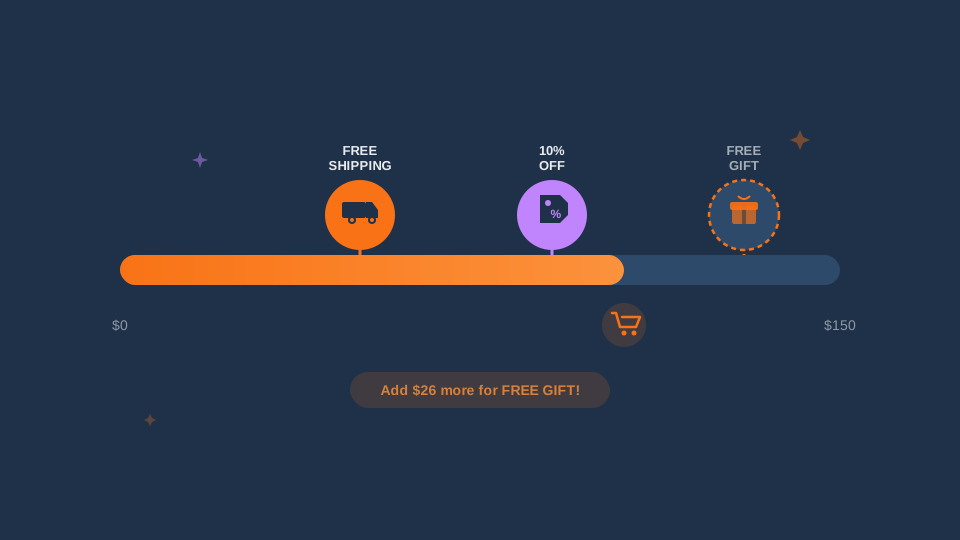
Even at 30% off, ensure your margins are healthy—the increased bundle size should compensate for the deeper discount. Track whether frequent buyer discounts are driving larger orders or simply discounting orders they would have placed anyway. Consider combining this with the Smart Progress Bar to stack incentives and push even higher AOV.
A home decor store segments customers by spending history: low spenders see 10% off bundles to encourage larger orders, medium spenders see 15% to push them higher, and high spenders see 20% to reward their ongoing commitment—all running simultaneously.
Spending-Tier Campaigns
Target customers based on their spending history—offering different bundle discount levels to low, medium, and high spenders to maximize value at every tier.
How it works
LimeSpot segments your customers by their historical spending levels. Low spenders receive a modest incentive (10% off bundles) to encourage them to try multi-item purchases. Medium spenders get 15% off, rewarding their growing engagement. High spenders receive 20% off as recognition of their value. All three campaigns run simultaneously—each customer sees only the offer matched to their tier.
3 Spending-Tier Templates
Offer 10% off on bundles to Low Spenders when value exceeds $50
Offer 15% off on bundles to Medium Spenders when value exceeds $50
Offer 20% off on bundles to High Spenders when value exceeds $50
How to do it
Activate all three spending-tier templates from Personalization > Discounts and Promotions: "Complement Low Spenders" (10%), "Incentivize Medium Spenders" (15%), and "Boost High Spenders" (20%). Each template pre-configures the audience segment and discount level. Customize thresholds and percentages as needed. All three can run simultaneously—LimeSpot's targeting ensures each customer sees only their tier's offer.
Best practices
Use spending tiers as a ladder that motivates upward movement. Low spenders who experience the benefit of bundle savings at 10% may naturally increase their spending over time, graduating to the medium tier. Monitor tier migration in your analytics to understand whether your discount strategy is successfully moving customers up the spending ladder.
A kitchenware store shows different bundle discounts based on the customer: a first-time buyer sees 10% off a pan + lid + oil bundle, while a returning buyer sees 20% off the same bundle. The AI selects which products to bundle based on what's frequently purchased together.
Dynamic Bundle Discounts
LimeSpot's AI identifies products frequently purchased together and displays them as discounted bundles—with different discount levels for different customer segments.
How it works
The Frequently Bought Together algorithm analyzes purchase patterns to automatically suggest complementary product bundles on your product and cart pages. When combined with personalized discount campaigns, each customer segment sees a different discount level on these bundles. The discount applies when customers add all items in the bundle to their cart, creating a win-win: customers save money, and you increase average order value.
How to do it
Create your audience segments in Personalization > Audience, or use the built-in templates that pre-configure segments for you. Create discount campaigns for each segment with the appropriate percentage. In the Designer, navigate to your Product Page layout, set the Frequently Bought Together box to "Bundle" style, and enable "Product Bundle Discounts." The AI handles which products to bundle—you control who sees what discount.
Best practices
Display savings prominently with strikethrough pricing so the bundle value is immediately clear. Ensure the bundled products genuinely complement each other—relevance drives conversions far more than discount depth. Run multiple campaigns simultaneously to serve different segments their ideal offer automatically. Track bundle performance in Analytics to identify which product combinations drive the highest AOV.
After a customer buys running shoes, they see a thank-you page with 25% off running socks and insoles—items that complement their purchase—valid for 30 minutes only, with one-click add to their existing order.
Post-Purchase Offers
Capture additional revenue immediately after checkout with AI-generated offers, time-limited discounts, BOGO deals, and subscription upsells at the moment of highest engagement.
How it works
The moment after purchase is when customers are most engaged with your brand. Post-purchase offers present relevant add-on products at a special discount. LimeSpot's AI analyzes what they just bought and recommends complementary items—all with one-click add to their existing order. No need to re-enter payment information, creating a frictionless add-on experience.
Post-Purchase Offer Types
How to do it
Enable post-purchase offers in your checkout flow integration. Configure your offer types: tiered discounts for higher-value orders, BOGO for complementary products, limited-time percentage off with countdown timers, or subscription upsells for replenishable products. Use line item recommendations for personalized suggestions based on order items.
Best practices
Keep post-purchase offers highly relevant to what was just purchased—irrelevant offers feel spammy. Use countdown timers sparingly but effectively; 30-minute windows work well to create urgency without pressure. Make the add-on process frictionless with one-click purchasing.
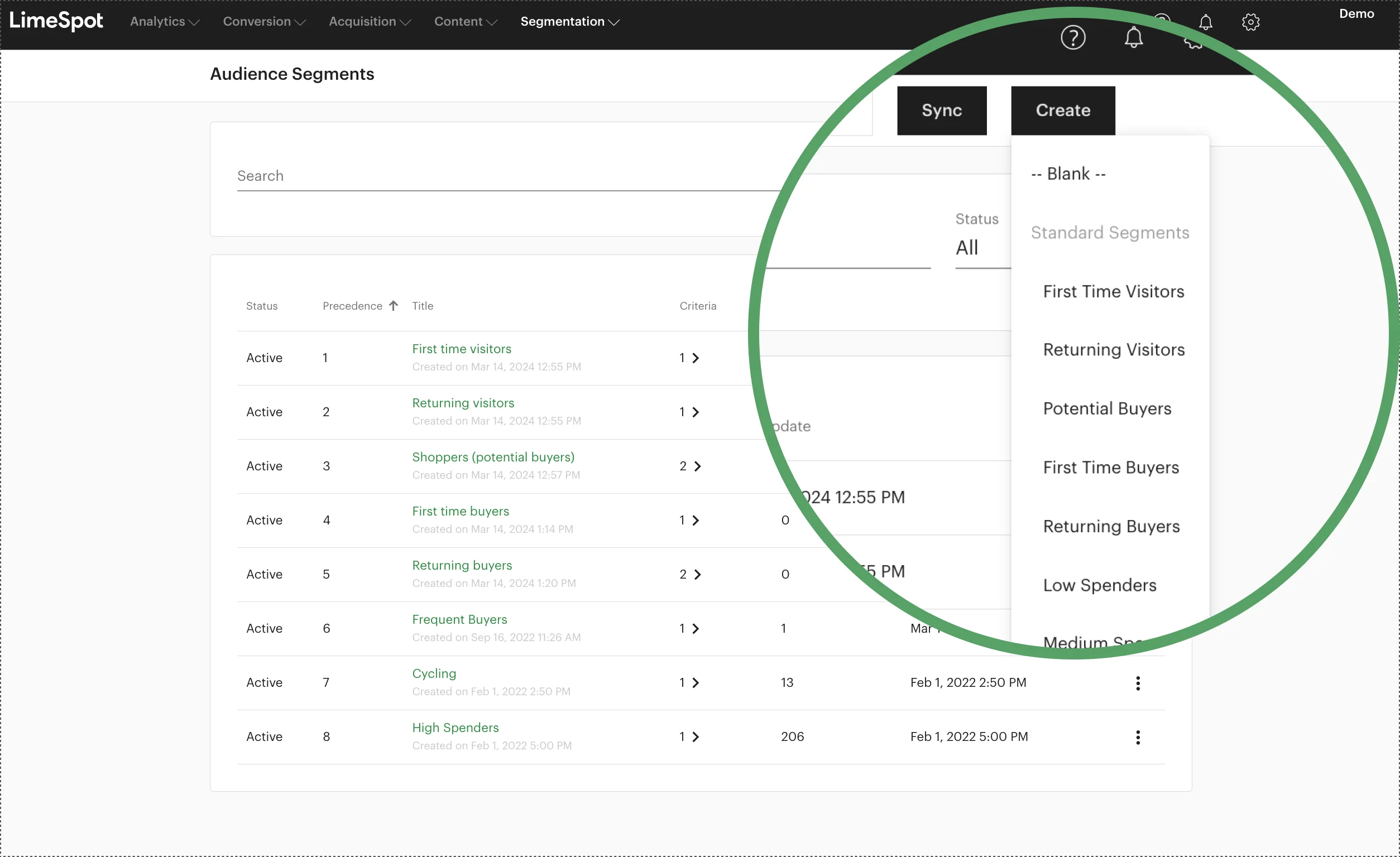
A supplements store runs all 8 built-in templates simultaneously: returning visitors get free shipping, first-time buyers get 10% off, frequent buyers get 30% off, and high spenders get 20% off bundles. Each customer sees only their segment's offer—all managed automatically.
Segment-Based Discount Rules
Create sophisticated discount strategies by combining multiple campaigns across audience segments—each customer sees the most relevant offer automatically.
How it works
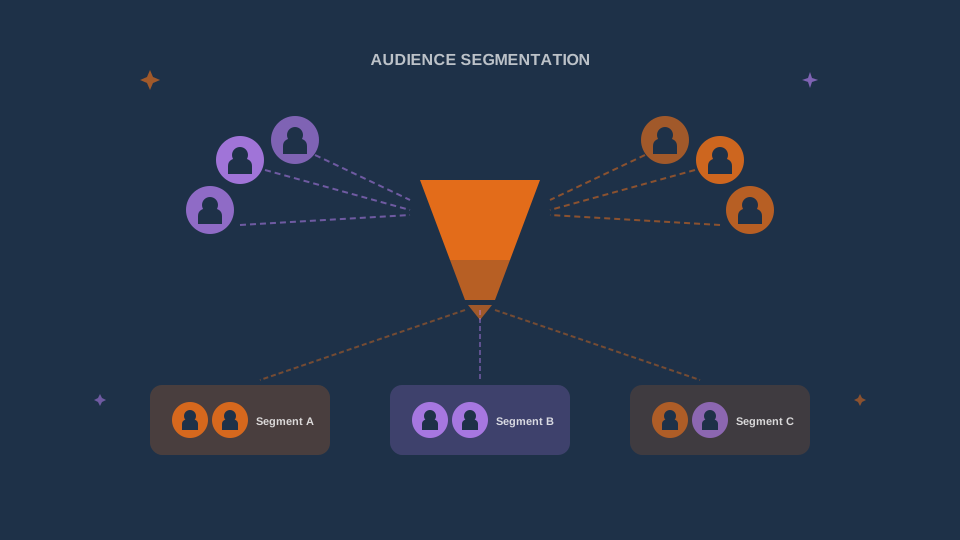
LimeSpot's segmentation engine lets you build discount rules that consider multiple customer attributes: behavioral signals (pages visited, products viewed), historical data (purchase frequency, total spend, last order date), and demographic information (location, device, referral source). You can run unlimited campaigns simultaneously—each targeting a different segment—to create a comprehensive, personalized discount strategy.
How to do it
Start with the 8 built-in templates to cover common segments (returning visitors, potential buyers, first-time buyers, returning buyers, frequent buyers, low/medium/high spenders). Then create custom segments in Personalization > Audience for more specific targeting—like location-based segments, loyalty tiers, or customers from specific campaigns. Assign dedicated discount campaigns to each segment. Use A/B testing to optimize discount levels across segments.
Best practices
Start with the built-in templates and add complexity as you learn what works. Avoid creating so many overlapping segments that you lose track of your strategy. Document your discount logic so it's clear which segments see which offers. Monitor Analytics > Audience to track segment-level performance and identify opportunities to adjust discount levels.
Getting Started
Choose a Template
Go to Personalization > Discounts and Promotions and select from the 8 built-in campaign templates—or create a custom one.
Configure Discount
Set the discount type (percentage, fixed amount, or free shipping), amount, and minimum bundle value threshold.
Target Audience
The built-in templates pre-configure segments. For custom campaigns, select your target audience in Personalization > Audience.
Enable in Designer
Open the Designer, enable Frequently Bought Together with Bundle style, and activate Product Bundle Discounts.
Publish & Test
Save and publish your campaigns. Test in a new browser session to see the discounts in action on product pages.
Monitor & Optimize
Track performance in Analytics > Campaigns > Discounts & Promotions. Compare segment performance and adjust discount levels.
LimeSpot offers complimentary 1:1 setup sessions. Contact our support team for personalized help with strategy, customization, and performance optimization.
Explore more of the guide
Ready to Boost Revenue While Protecting Margins?
Transform your discount strategy with AI-powered personalization today.
Deliver the right offer to the right customer at the right time—maximizing conversions without sacrificing profitability.