Real-time Audience Segments
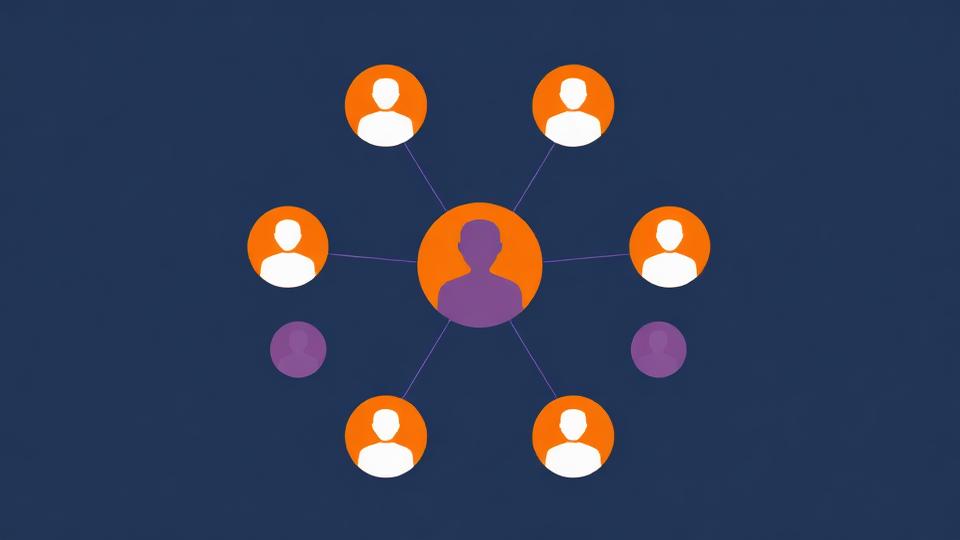
Segment your visitors in real time based on behavior, device, and purchase history — then use those segments across promotions, Google Ads, and custom events to deliver the right experience to every customer.
Request a demoUnderstanding who your customers are — and where they sit in their journey — is the foundation of effective personalization. LimeSpot's audience segmentation engine identifies visitors across key customer journey stages and spending patterns, and lets you tailor every experience in real time.
Start with built-in segments that work out of the box, then go deeper with custom segments based on browsing behavior, purchase history, location, device, and custom events. Sync your segments with Google Ads, track performance with detailed analytics, and create hyper-targeted experiences that convert.
Built-in Audience Segments
Get started immediately with 9 pre-built audience segments that cover the most common customer journey stages and spending patterns — no configuration required.
First Time Visitors
Brand new visitors discovering your store for the first time
Returning Visitors
Active visitors who've been on your site before but haven't purchased
Potential Buyers
Visitors who've added items to cart but haven't completed checkout
First Time Buyers
Customers who have completed their very first purchase
Returning Buyers
Customers who have made more than one purchase
Frequent Buyers
Loyal customers who purchase regularly from your store
High Spenders
Customers whose average order value is above your store's average
Low Spenders
Customers whose average order value is below your store's average
Medium Spenders
Customers whose average order value is around your store's average
How it works
LimeSpot provides pre-built audience segment templates that you can activate with a single click. These segments automatically classify your visitors based on their journey stage (first-time visitor through frequent buyer) and spending behavior (low, medium, and high spenders). Each segment updates in real time as visitors browse and purchase, so your personalization is always current.
How to do it
Navigate to Personalization > Audience > Segments and browse the available templates. Click to create any of the pre-built segments — they'll begin classifying your visitors immediately. Once created, these segments can be used across all LimeSpot features: recommendations, content personalization, curated collections, bundle discounts, and Google Ads sync.
Best practices
Start by activating the five journey-stage segments (First Time Visitors through Frequent Buyers) and sync them with Google Ads. Give them about two weeks to populate with data, then review the Audiences analytics dashboard to understand how each segment performs. Add the spending-based segments next to layer in value-based targeting on top of journey-stage personalization.

A fashion retailer uses real-time segmentation to show first-time visitors from Instagram (detected via referral URL on page load) a "Welcome from Instagram — 15% off your first order" banner instantly. As the visitor browses dresses, they're added to the "Dress Lovers" segment on their next click, enabling personalized recommendations throughout their session.
Real-time Audience Segments
Segment visitors in real time based on their behavior, device, location, and browsing context — then serve personalized promotions instantly.
How it works
LimeSpot's segmentation engine processes behavioral signals in real time across three categories. Current page load signals — like page URL, UTM parameters, referral source, device type, and location — are evaluated immediately and can trigger personalization on the very first page view. Consecutive page load signals — like product views and add-to-cart actions — process during the current page and take effect on the next page view. Consecutive session signals — like order history and purchase amounts — may take effect on the visitor's next session due to platform webhook processing.
How to do it
Navigate to Personalization > Audience > Segments and click "Create" to build a custom segment. Combine conditions using affinity (interests/preferences), context (location, device, UTM parameters), and lifecycle stage (new vs. returning). For instant segmentation upon landing, use Access Port conditions (browser, device, location, OS) or Browsing Activity conditions (page URL, referral URL, URL parameters).
Best practices
For conditions that must evaluate immediately on page load, use the "In the past" date range option and quantity operators "equal to 1" or "more than 0." Standard date range selections and other quantity comparisons will segment the user on their next click instead. When using URL-based conditions, include the website host name without 'http://' or 'https://' (e.g., www.yourstore.com/collection/handle).
A pet supplies store monitors their "Returning Buyers" segment in the Audiences dashboard and discovers these customers have a 3x higher purchase-per-session rate. They double down on this segment with a VIP loyalty discount campaign, driving a 25% increase in repeat purchase revenue — tracked and validated directly in LimeSpot's analytics.
Audience Analytics & Optimization
Track the performance of every audience segment with 15 key metrics to optimize your promotional strategy with data-driven decisions.
How it works
LimeSpot's Audiences dashboard tracks 15 key performance indicators for every segment: current members, sessions, product clicks, product click/session rate, purchase/session rate, orders, average order value, product gross sales, unique visitors, average session time, add to cart, product gross sales/session, discounts, refunds, and net sales. Access three report categories — overall performance, demographic data, and audience-level metrics — to understand which segments drive the most value.
How to do it
Navigate to Analytics > Audiences in your LimeSpot dashboard to view comprehensive segment reporting. Compare segments side-by-side to identify which customer groups respond best to your promotions. Use the purchase/session and AOV metrics to determine optimal discount levels for each segment — some segments may convert with a 5% nudge while others need 15%.
Best practices
Review segment performance regularly to refine your promotional strategy. Pay special attention to the gap between product clicks/session and purchases/session — a high click rate with low conversion signals that a segment is interested but needs a better offer. Monitor net sales (after discounts and refunds) to ensure your promotional campaigns are actually profitable, not just driving volume at a loss.
A home decor store syncs its "Returning Buyers" and "Potential Buyers" segments to Google Ads. They create a Performance Max campaign targeting returning buyers with new arrivals, and a remarketing Display campaign showing cart abandoners the exact products they left behind — reducing CPA by 35% compared to broad targeting.
Google Ads Audience Sync
Automatically sync your LimeSpot audience segments with Google Ads to create highly targeted ad campaigns that improve ROAS and reduce acquisition costs.
How it works
LimeSpot automatically syncs your audience segments with Google Ads every 12 hours (8 AM and 8 PM PST), creating custom audiences that stay constantly updated as shoppers browse your website. These audiences can be used across Search, Display, Shopping, Video, Performance Max, Gmail, Discovery, and Demand Generation campaigns. You can also create lookalike audiences based on your LimeSpot segments to target users with similar purchase propensity for expanded reach. Syncing empowers advertisers to target their audiences more precisely, ensuring that the right content reaches the right viewers.
How to do it
Navigate to Personalization > Audience Segments and click "Sync." Go to Integrations, sign in with your Google Account, and select your Google Ads account to connect (admin access required). Then enable the Sync checkbox for Google Ads. Once synced, add your custom audiences to remarketing campaigns in Google Ads — Performance Max and Shopping campaigns tend to be most effective.
Best practices
Start with the pre-built customer journey segments (first-time visitors, returning visitors, potential buyers, first-time buyers, returning buyers) to quickly see results. Use the "Returning Buyers" segment for upsell campaigns and "Potential Buyers" for remarketing. Create lookalike audiences from your highest-value segments to find new customers with similar behavior. Maximize the performance of your custom landing pages by adding personalized bundle discounts and offering dynamic pricing per product bundle on any landing page. Monitor results through Analytics > Audiences in the LimeSpot dashboard.
A subscription box company tracks when users click "Compare Plans" using a custom event. After 3 comparison clicks (tracked via event count), the visitor is added to a "High Intent" segment and shown a limited-time 20% discount pop-up. The event value tracks which plan price they viewed most, enabling targeted upsell messaging.
Custom Event Targeting
Track non-standard user activities with custom events and use them to build advanced audience segments for hyper-targeted promotions.
How it works
When standard behavior tracking isn't enough, custom events let you track any user activity on your storefront — clicks on specific links, interactions with custom elements, quiz completions, video plays, and more. Each custom event has three attributes: a customEventIdentifier (required, the event name), a count (optional, how many times it occurs), and a value (optional, a numerical value like a product price). You can then create audience segments using three criteria: custom event value (sum), custom event value average, or custom event count.
How to do it
Add the JavaScript tracking call to your storefront where the custom activity occurs using LimeSpot's Storefront Library. Then navigate to Personalization > Audience Segments > Create > Blank and define your segment criteria using custom event conditions. You can also integrate custom events with Shopify Flow for automated workflows.
Best practices
Use descriptive event identifiers that clearly describe the tracked action (e.g., "quiz_completed", "plan_comparison_click"). Combine custom event criteria with standard behavioral conditions for more precise segments. Track both count and value to differentiate between frequency and monetary engagement — a user who clicks "Compare Plans" 5 times is likely more ready to convert than one who clicked once.
Explore more of the guide
Ready to Delight Your Customers and Boost Sales?
Transform your e-commerce experience with Intelligent Merchandising today.
Unlock the full potential of your online store by delivering personalized experiences that engage, convert, and retain customers.