Your customers leave digital breadcrumbs every time they interact with your store. They browse specific categories, abandon carts, make purchases, and engage with your content. This behavioral data holds the key to email marketing personalization that actually converts.
Generic email blasts are dead. Today's shoppers expect relevant, timely messages that speak to their specific interests and needs. When you use behavioral data to segment and target your email campaigns, you can increase open rates by 26% and click-through rates by 14%, according to Campaign Monitor data.
This guide shows you how to turn customer behavior tracking into powerful email marketing personalization that drives sales, builds loyalty, and maximizes your marketing ROI.
Understanding Behavioral Data in Email Marketing
Behavioral data captures what your customers actually do, not just what they say they want. Unlike demographic data that tells you who someone is, behavioral data reveals their intentions, preferences, and likelihood to purchase.
Types of Behavioral Data for Email Marketing
Website Behavior: Your customers' browsing patterns reveal their interests. Track which pages they visit, how long they stay, and which products they view multiple times. This data helps you understand their preferences and shopping intent.
Purchase History: Past purchases predict future behavior. Customers who bought winter coats might be interested in scarves and gloves. Those who purchase premium products often respond well to exclusive offers.
Email Engagement Patterns: Monitor which emails customers open, which links they click, and when they're most active. Some customers prefer morning emails, others respond better to evening sends.
Cart and Checkout Behavior: Track what customers add to their carts, when they abandon purchases, and at which checkout step they typically drop off. This information helps you create targeted recovery campaigns.
Why Behavioral Data Outperforms Demographics
Behavioral data predicts actions better than age, gender, or location alone. A 25-year-old and a 55-year-old might both browse the same product category and show similar purchase intent. Their behavior matters more than their demographics for email targeting.
Studies show that behavioral email segmentation generates 58% of all email revenue, despite representing only 35% of email sends. This efficiency comes from sending the right message to people who've already shown interest through their actions.
Essential Behavioral Triggers for Email Segmentation
Browse Abandonment Triggers
When customers view products but don't add them to their cart, they're showing interest without commitment. Create segments for people who:
- Viewed specific product categories in the last 7 days
- Spent more than 3 minutes on product pages
- Viewed the same product multiple times
- Browsed high-value items without purchasing
Send these segments emails featuring the products they viewed, along with social proof, reviews, or limited-time offers to encourage action.
Cart Abandonment Behaviors
Cart abandonment happens for many reasons. Segment based on abandonment patterns:
- Price-sensitive abandoners: Left expensive items in cart
- Shipping-concerned abandoners: Abandoned at shipping calculation
- Comparison shoppers: Added multiple similar products
- Impulse abandoners: Quick add-to-cart followed by immediate exit
Each segment needs different messaging. Price-sensitive customers might respond to discounts, while shipping-concerned customers need free shipping offers.
Purchase-Based Segments
Customer behavior tracking after purchases reveals opportunities for repeat sales:
- First-time buyers: Need onboarding and product education
- Repeat customers: Ready for upsells and cross-sells
- High-value customers: Respond well to exclusive offers
- Seasonal buyers: Purchase during specific times of year
Engagement Level Segments
Not all subscribers engage equally. Create segments based on email activity:
- Highly engaged: Open and click regularly
- Moderately engaged: Open occasionally, click rarely
- Low engaged: Open infrequently, never click
- Re-engagement needed: Haven't opened in 30+ days
Tailor your frequency and content intensity to each group's engagement level.
Building Your Email Segmentation Strategy
Start with High-Impact Segments
Don't try to create dozens of segments immediately. Begin with these high-impact behavioral segments:
- Recent purchasers (last 30 days)
- Cart abandoners (last 24-72 hours)
- Browse abandoners (last 7 days)
- VIP customers (top 20% by lifetime value)
- Win-back candidates (no purchase in 90+ days)
These five segments typically generate 70% of behavioral email revenue while being simple to set up and manage.
Dynamic Segmentation Rules
Create segments that automatically update based on customer actions. For example:
- Move customers from "prospect" to "first-time buyer" after their first purchase
- Shift customers to "at-risk" segment if they haven't engaged in 60 days
- Promote customers to "VIP" status when they reach spending thresholds
Dynamic segments ensure your messaging stays relevant as customer behavior changes.
Combining Behavioral and Demographic Data
While behavioral data is more predictive, combining it with demographics creates even more precise segments:
- Young professionals who browse during lunch hours
- Parents who purchase children's items and abandon carts due to price
- Weekend browsers who prefer mobile-optimized emails
This layered approach helps you understand not just what customers do, but why they do it.
Creating Personalized Email Campaigns
Subject Line Personalization
Your subject line determines whether customers open your email. Use behavioral data to create compelling, relevant subject lines:
- "Still thinking about that blue sweater?" (browse abandonment)
- "Complete your order and save 10%" (cart abandonment)
- "New arrivals in your favorite category" (based on purchase history)
- "We miss you! Here's 15% off your next order" (re-engagement)
Personalized subject lines based on behavior increase open rates by 22% compared to generic alternatives.
Content Personalization Strategies
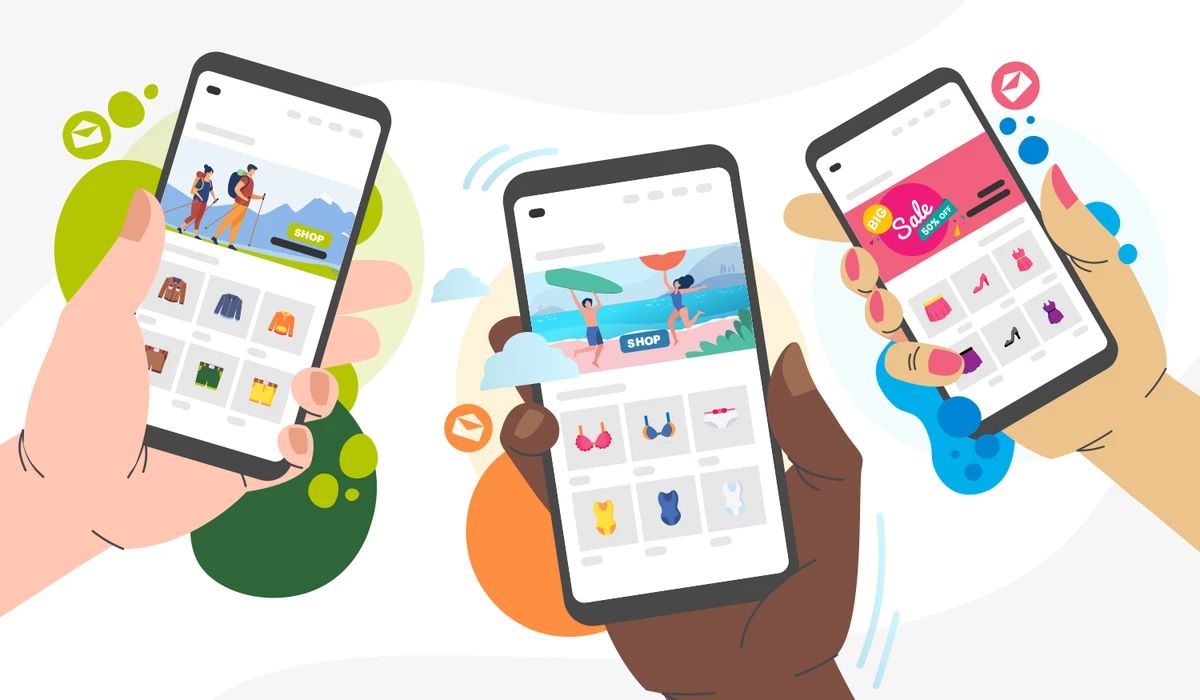
Product Recommendations: Show products based on browsing history, purchase patterns, or items frequently bought together. If someone bought running shoes, recommend athletic socks, fitness trackers, or running accessories. Use smart product recommendations to automate this process.
Timing Optimization: Send emails when customers are most likely to engage. Analyze open and click patterns to determine optimal send times for each segment. Some customers prefer morning emails, others respond better to evening sends.
Content Depth Variation: Highly engaged customers can handle detailed product information and multiple recommendations. Low-engagement segments need simpler, more focused content with clear calls-to-action.
Visual Personalization
Use behavioral data to customize email design:
- Show previously viewed products prominently
- Highlight categories customers browse most
- Use colors and styles that match their preferences
- Display relevant lifestyle imagery based on purchase history
Ecommerce Email Automation Workflows
Welcome Series for New Subscribers
Create different welcome sequences based on how subscribers joined your list:
Website Signup Workflow
- Welcome and brand introduction
- Best-selling products in categories they browsed
- Customer reviews and social proof
- Exclusive subscriber discount
Post-Purchase Signup Workflow
- Thank you and order confirmation details
- Care instructions and product tips
- Complementary product recommendations
- Loyalty program invitation
Abandoned Cart Recovery Series
Design a sequence that addresses different abandonment reasons:
- Email 1 (1 hour later): Simple reminder with cart contents
- Email 2 (24 hours later): Add urgency with limited stock warnings
- Email 3 (72 hours later): Offer incentive like free shipping or discount
- Email 4 (1 week later): Show alternative products or customer reviews
Post-Purchase Automation
Keep customers engaged after they buy:
- Immediate: Order confirmation and shipping details
- 3-5 days: Delivery confirmation and product care tips
- 1 week: Review request and social sharing encouragement
- 2-4 weeks: Cross-sell related products based on purchase
- 30 days: Replenishment reminder for consumable products
Re-engagement Campaigns
Win back inactive subscribers with targeted campaigns:
- Acknowledge their absence: "We miss you!"
- Offer compelling incentives: "Here's 20% off to welcome you back"
- Show what they've missed: "New products in your favorite category"
- Make it easy to update preferences: "Tell us what you want to hear about"
Advanced Behavioral Email Segmentation Techniques
Predictive Segmentation
Use historical behavioral data to predict future actions:
Churn Prediction: Identify customers likely to stop purchasing based on:
- Decreasing email engagement
- Longer gaps between purchases
- Reduced website activity
- Lower average order values
Lifetime Value Prediction: Spot customers likely to become high-value based on:
- Early purchase frequency
- Product categories purchased
- Email engagement levels
- Website browsing depth
Cross-Channel Behavioral Data
Combine email behavior with other channels for richer segmentation:
- Social media engagement patterns
- SMS response rates
- Customer service interactions
- Mobile app usage data
This comprehensive view helps you understand customer preferences across all touchpoints.
Seasonal Behavior Patterns
Track how customer behavior changes throughout the year:
- Holiday shopping patterns
- Seasonal product preferences
- Gift-giving behaviors
- Weather-influenced purchases
Create segments that activate during relevant seasons, ensuring your messages align with natural shopping cycles.
Measuring Success and ROI
Key Performance Indicators
Track these metrics to measure your behavioral email segmentation success:
Engagement Metrics
- Open rates by segment
- Click-through rates by behavior type
- Unsubscribe rates by segment
- Time spent reading emails
Revenue Metrics
- Revenue per email by segment
- Average order value from email campaigns
- Customer lifetime value improvement
- Return on email marketing investment
A/B Testing Behavioral Segments
Test different approaches within behavioral segments:
- Subject line variations for cart abandoners
- Send time optimization for different engagement levels
- Content length for various customer types
- Incentive types for different behavioral triggers
Attribution and Multi-Touch Analysis
Understand how behavioral emails contribute to the customer journey:
- First-touch attribution: Which emails introduce customers to products
- Last-touch attribution: Which emails directly drive purchases
- Multi-touch attribution: How email sequences work together
- Cross-channel attribution: How email supports other marketing efforts
Tools and Implementation
Email Marketing Platforms
Choose platforms that support advanced behavioral segmentation:
Enterprise Solutions
- Klaviyo: Strong ecommerce integration and behavioral tracking
- Mailchimp: User-friendly with good automation features
- Campaign Monitor: Solid segmentation and personalization tools
All-in-One Platforms
- HubSpot: Combines email with CRM and behavioral tracking
- Marketo: Advanced automation and lead scoring capabilities
Integration Requirements
Ensure your email platform integrates with:
- Ecommerce platform (Shopify, WooCommerce, Magento)
- Customer data platform
- Analytics tools (Google Analytics, Adobe Analytics)
- Personalization engines
For comprehensive behavioral tracking and personalization across your entire customer experience, platforms like LimeSpot can complement your email marketing efforts. LimeSpot helps you track customer behavior, create personalized experiences, and gather the behavioral data that makes your email segmentation more effective.
Data Quality and Privacy
Maintain high data quality for effective segmentation:
- Regular data cleaning and deduplication
- Consistent tracking implementation
- GDPR and privacy compliance
- Customer consent management
Common Pitfalls and How to Avoid Them
Over-Segmentation
Creating too many micro-segments can:
- Dilute your message testing
- Increase campaign complexity
- Reduce email volume per segment
- Make analysis difficult
Start with 5-10 behavioral segments and expand gradually based on performance data.
Ignoring Segment Performance
Monitor segment performance regularly:
- Track engagement trends over time
- Identify declining segments
- Merge underperforming segments
- Create new segments based on emerging behaviors
Privacy and Consent Issues
Respect customer privacy while using behavioral data:
- Clearly communicate data usage in privacy policies
- Provide easy opt-out options
- Honor customer preferences
- Implement proper data security measures
Technical Implementation Mistakes
Avoid common technical issues:
- Incorrect tracking code implementation
- Data synchronization delays
- Segment logic errors
- Email delivery problems
Test your segmentation logic thoroughly before launching campaigns.
FAQs
What is email marketing personalization and how does it work?
Email marketing personalization uses customer data to create targeted, relevant email campaigns. It works by analyzing customer behavior like browsing history, purchase patterns, and email engagement to segment audiences and deliver customized content. Instead of sending the same message to everyone, you send specific messages to specific groups based on their actions and preferences.
How do I start with behavioral email segmentation if I'm a beginner?
Start with these five basic behavioral segments: recent purchasers (last 30 days), cart abandoners (last 24-72 hours), browse abandoners (last 7 days), VIP customers (top 20% by value), and inactive customers (no engagement in 90+ days). These segments are easy to create and typically generate the highest ROI. Focus on getting these working well before creating more complex segments.
What behavioral data should I track for email marketing?
Track website browsing behavior (pages visited, time spent, products viewed), purchase history (what, when, how much), email engagement (opens, clicks, unsubscribes), cart behavior (additions, abandonments, checkout progress), and customer service interactions. This data helps you understand customer intent and preferences for better email targeting.
How often should I send personalized emails to different behavioral segments?
Email frequency depends on the segment's engagement level and behavior type. Highly engaged customers can receive 2-3 emails per week, while low-engagement segments should get 1-2 emails per month. Cart abandoners need immediate follow-up (within hours), while browse abandoners can wait 24-48 hours. Always monitor unsubscribe rates and adjust frequency based on customer response.
What's the difference between demographic and behavioral email segmentation?
Demographic segmentation groups customers by who they are (age, gender, location), while behavioral segmentation groups them by what they do (purchases, browsing, email engagement). Behavioral segmentation typically performs better because actions predict future behavior more accurately than demographics. A 25-year-old and 55-year-old might both be interested in the same products based on their browsing behavior.
How do I measure the ROI of behavioral email segmentation?
Track revenue per email, conversion rates, average order value, and customer lifetime value for each behavioral segment. Compare these metrics to your previous mass email campaigns. Also monitor engagement metrics like open rates, click-through rates, and unsubscribe rates. Most businesses see 20-30% higher conversion rates from behavioral segmentation compared to generic campaigns.
Can I use behavioral email segmentation with a small email list?
Yes, behavioral segmentation works with small lists, but start with fewer, broader segments. With under 1,000 subscribers, use 3-5 segments maximum. Focus on high-impact behaviors like recent purchases, cart abandonment, and engagement level. As your list grows, you can create more specific segments. Even small lists benefit from behavioral targeting compared to sending the same message to everyone.
Email marketing personalization through behavioral data isn't just about better open rates. It's about building relationships with customers by showing you understand their needs and preferences. When you segment based on what customers actually do rather than assumptions about who they are, you create email campaigns that feel personal and relevant.
Start with the basic behavioral segments outlined in this guide. Track your results, test different approaches, and gradually expand your segmentation strategy. Your customers will respond better to emails that reflect their actual interests and behaviors, leading to higher engagement, increased sales, and stronger customer relationships.