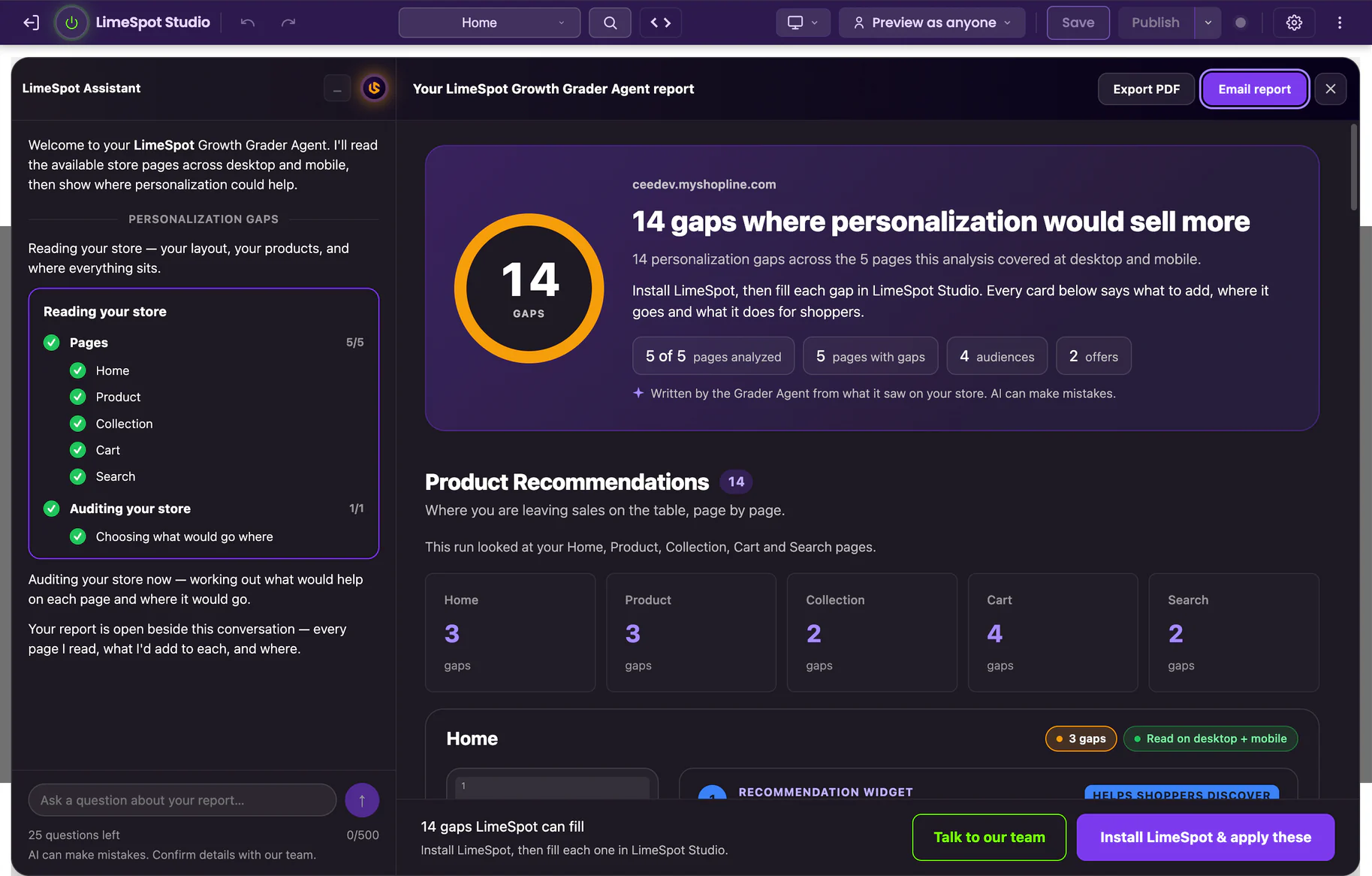
Your gaps, page by page
Every personalization gap the Grader Agent finds on your Home, Product, Collection, Cart and Search pages, counted for each page and read at desktop and mobile width.
Peak season is coming whether your storefront is ready or not. Get a free store audit and find out which one you are.
Free audit with a browser extension, or a 30-minute walkthrough with our team. See a real report
The LimeSpot Growth Grader Agent is a free AI auditor that reads your storefront the way a shopper meets it, at desktop and mobile width. It reads up to five page types, Home, Product, Collection, Cart and Search, finds the personalization gaps on each, and writes you a report: where each Recommendation widget goes, what shoppers see, and why it belongs there. It only reads; nothing on your store changes.
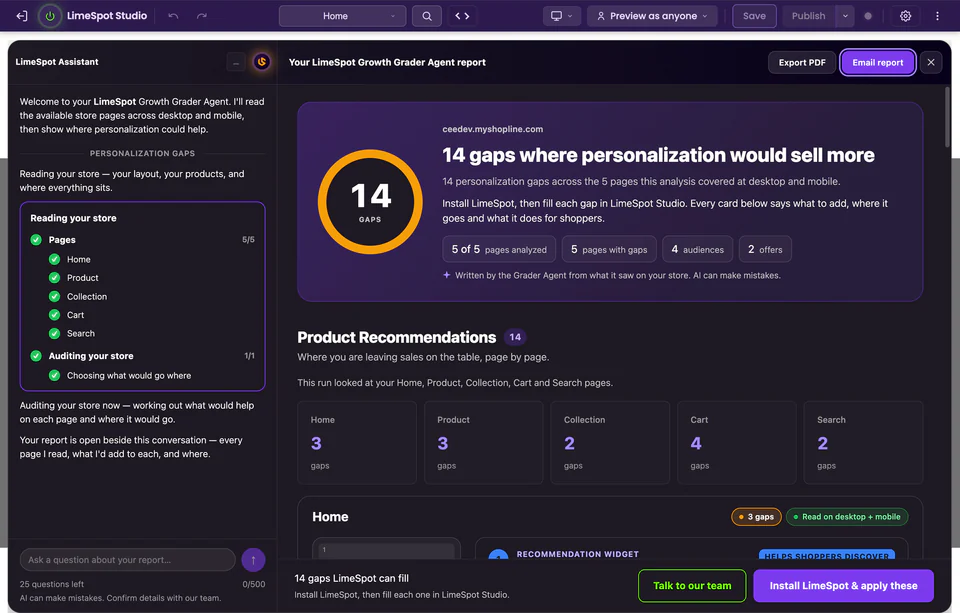
The Growth Grader is a free tool from LimeSpot, that makes personalization software for online stores. Someone who runs an online store starts it from a browser extension. It opens up to five kinds of page on that store, Home, Product, Collection, Cart and Search, the way a visitor would, at desktop and mobile width, and LimeSpot’s AI writes a report on where the store could show shoppers more relevant products. It only reads the pages; nothing on the store changes.
What you get back
A report the Grader Agent writes from what it saw on your store, with observable checks behind every point, not a vibe or a thin excuse to collect your email.
Every personalization gap the Grader Agent finds on your Home, Product, Collection, Cart and Search pages, counted for each page and read at desktop and mobile width.
A top-to-bottom diagram of every page with a numbered slot for each Recommendation widget, and a card that says what to add, where, what shoppers see and why it belongs there.
The groups of shoppers worth showing their own recommendations, the bundle discounts worth running for them, and your next steps.
Export PDF turns the report into a designed document you can save, print or send straight to your team to make the case for personalization, no translation needed.
Send the report to up to five people, yourself included. Each person gets it once, nobody joins a list unless they opt in, and every shared copy carries an unsubscribe link.
Ask questions about your report in the chat beside it, or choose Talk to our team to book a meeting with LimeSpot.
Inside the report
These pages come from a real report the Grader Agent wrote for LimeSpot’s own SHOPLINE dev store, exported as a PDF. Yours covers your store.
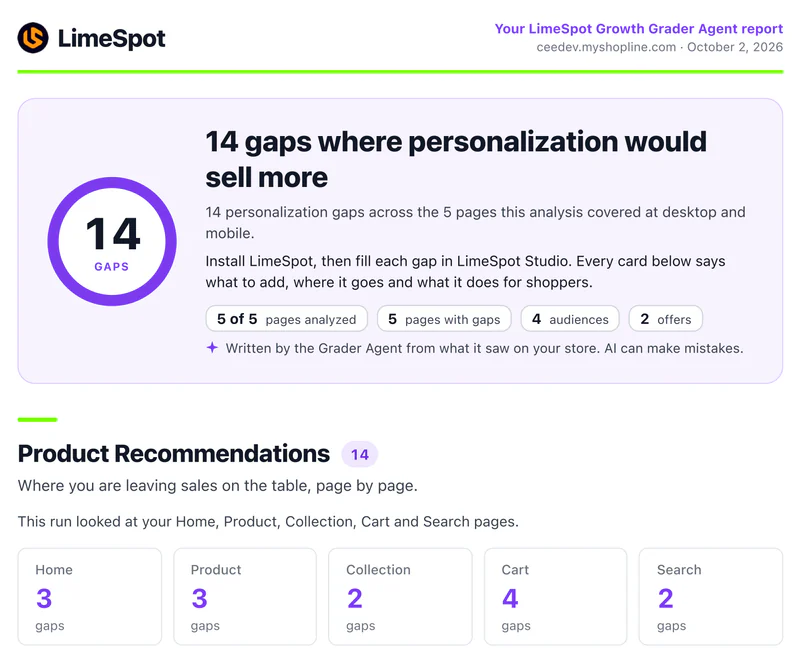
The report opens with what the Grader Agent found: how many personalization gaps, how many of your pages it analyzed, the audiences and offers it suggests, and the gaps on each page.
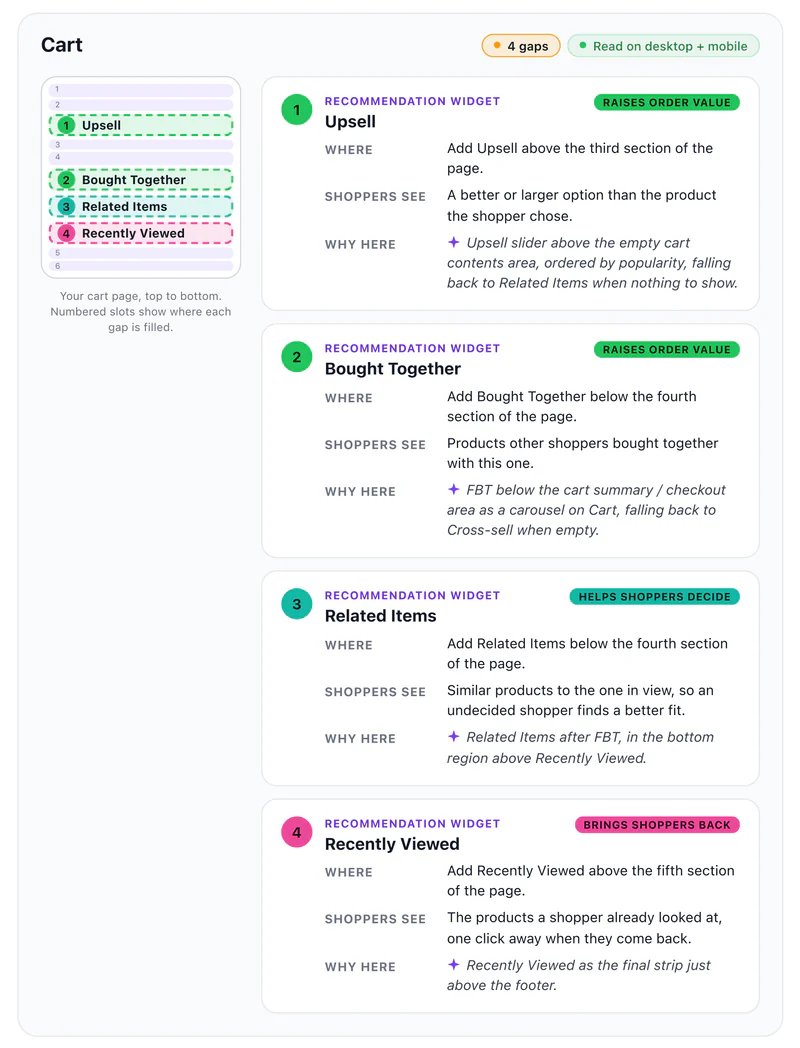
Each page gets a top-to-bottom diagram with a numbered slot where each Recommendation widget goes, and beside it a fix card for every slot.
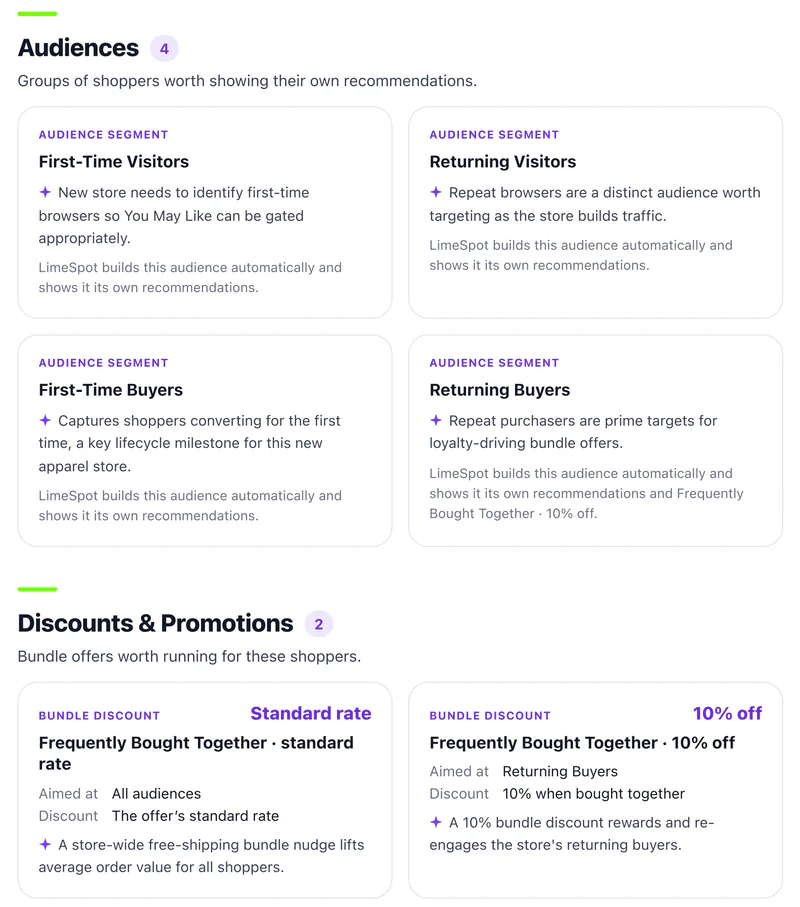
After the pages come the shopper groups worth their own recommendations and the bundle discounts worth running for them. The report closes with next steps: install LimeSpot, fill each gap, and publish when you are ready.
Why run it now?
The gaps are cheap to find now but expensive to discover in peak season.
Every static section of your store is about to be shown to the largest audience it will see all year. A hero that ignores what a shopper browsed, a cart with no cross-sell, search results that don’t follow the keywords typed. These leak revenue every day. BFCM weekend is when the leak becomes a flood.
What the AI actually checks
The Growth Grader shops the surfaces where personalization shows up, or is conspicuously missing, across the whole journey.
Whether a visit gets more than one static layout on the busiest weekend of your year: best sellers to start from, picks that follow what each shopper browses, and the products they looked at last time.
Whether a collection offers anything beyond the same grid in the same order for everyone, such as its own best sellers or the products a shopper already viewed.
Whether the page helps a shopper decide and add more: products often bought together with this one, similar items for an undecided shopper, and what they viewed before.
The cart is your highest-intent moment of BFCM. The audit checks whether yours offers a better or larger option, items bought together with what is already in it, or anything at all.
Whether recommendations appear on results pages at all, and whether they follow what the shopper actually typed.
How to get your audit
LimeSpot’s Growth Grader runs as a lightweight browser extension. It’s how the AI shops your store like a real visitor, without touching your storefront code. Run it yourself, or book a call and go through it with us.
Add the Growth Grader extension to desktop Chrome, Edge or Firefox, confirm your store and email, and watch it shop your storefront. It only reads; nothing on your store changes.
Add the free extensionBook a demo and we walk through the gaps on your store with you, then show how LimeSpot fills them. LimeSpot installs with a 15-day free trial.
Book a demoDesktop Chrome, Edge, or Firefox. Chrome installs from the Chrome Web Store and Firefox from its Add-ons listing. Edge takes an early-access build downloaded directly from us while its store listing is in review, and that package ships with a checksum.
Tell us which storefront to shop and where to send your audit. No admin access, no code snippet, nothing installed on your store.
The Grader Agent reads your store page by page, then opens your report beside the chat: every gap, where each fix goes, and the audiences and offers worth running. Export it as a PDF, email it, or ask about it.
Install LimeSpot from its reviewed browser-store listing. No Developer mode or unpacking needed.
Add to ChromeDownload the current Edge package. Manual installation requires Developer mode.
Download for EdgeInstall LimeSpot from its reviewed browser-store listing. No Developer mode or unpacking needed.
Add to FirefoxAlready installed? Continue to activation.
The Edge package includes a SHA-256 checksum.
Use a current desktop version of Chrome, Edge, or Firefox to run the Grader.
LimeSpot Growth Agents
Every report ends with next steps: install LimeSpot, fill each gap, and publish when you are ready. Early-access merchants are onboarded in order of request, so there’s runway to test before the traffic hits.
Onboarding before BFCM is limited; requests after early access closes join the launch list.